
If you are looking into Search Engine Optimisation and the things you can do on your website to build authority and organic traffic; then you may well of heard about do-follow and no-follow links. It can be confusing, so here is our guide on what the differences are between Do-follow, No-follow and Sponsored links.
How links are categorised on your website
When you add a link to your website content, you have the option to categorise it, which adds a tag in the background coding to tell search engines the difference between the links. For many years the only options were do-follow (meaning: I trust and endorse the content that I am linking to); or no-follow (meaning: this content is either sponsored, affiliate, ads, or something which I don't endorse, but wish to link to for some reason).
Recently new tags were added to help search engines differentiate between normal no-follow links, sponsored content, and UGC (User Generated Content) links.
We will write a separate article on the UGC link and all the great User Generated Content options for your website.
What's the Difference Between Do-follow, No-follow and Sponsored links?
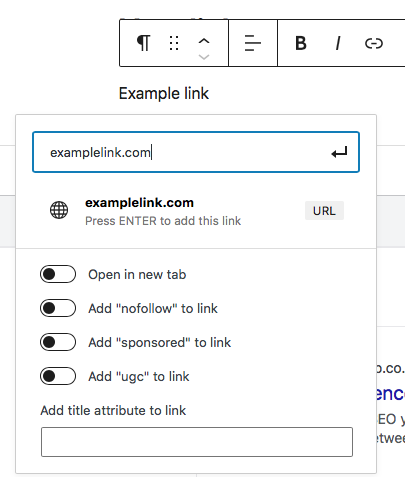
do-follow / default
Links are defaulted to do-follow in Wordpress. This means that it is assumed that you trust and endorse the content you are linking to, and that you weren't paid to put it there.
Basically put, is this link to an external source going to be helpful to your customers with no kickback for you?
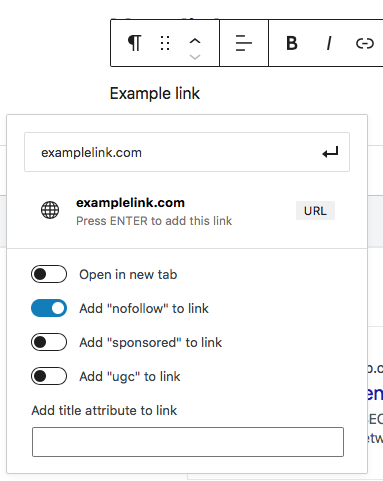
no-follow
No-follow links indicate to Google that the link should not parse PageRank to that linked site - i.e. should not benefit from the authority you give it by linking to it.
This helps to curb the trend on paid link-building and black hat SEO techniques.
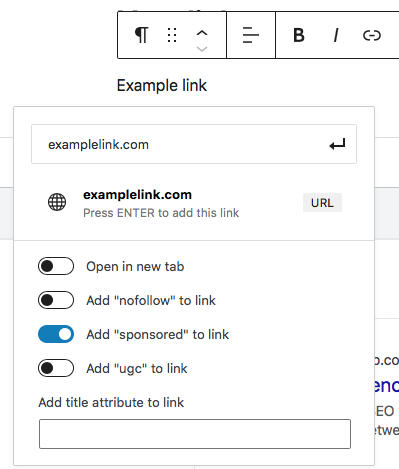
sponsored link
The major change here is that sponsored links (i.e. anything where money might change hands - like ads, affiliates, and sponsored content) can be labelled as such; instead of being lumped under the one no-follow tag. This allows for paid links to essentially be no-follow, but differentiated from untrustworthy!
The main point to note is that, while it's good practice to label and categorise your links like this, these are just recommendations and helpful tips for search engines. If you miss one or don't immediately update your no-follow links to sponsored, this shouldn't impact your authority metrics.